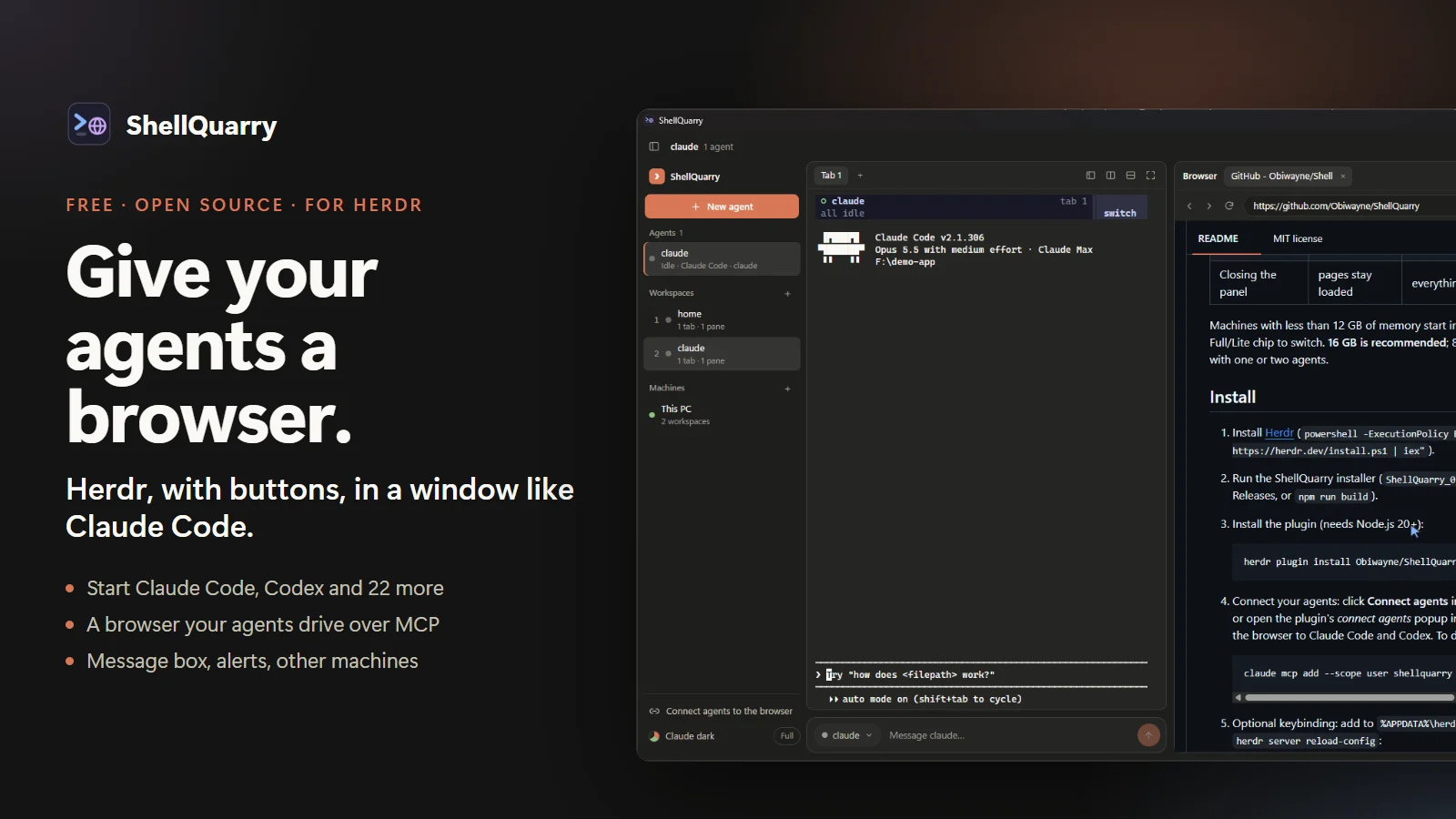
Herdr is very good at one thing: running several coding agents at once and telling you which one needs you. It lives in the terminal, though, and the Claude Code desktop app has spoiled us with a built-in browser. So we built ShellQuarry: a shell that sits on top of Herdr. Herdr still runs your agents, unchanged. ShellQuarry puts a Claude Code-style window around it, with buttons for the everyday jobs and a browser your agents can drive.
It's free, open source (MIT) and on GitHub. This post shows what it does, how to install it in about ten minutes, and how it was put together from open-source parts in the RepoQuarry catalogue.

First Herdr on its own, then ShellQuarry around it, then the agent's cursor in the browser. The terminal is a real run: Claude Code opened herdr.dev in the ShellQuarry browser and summed it up, with no setup.
What it does
Herdr runs unchanged in the middle of the window, so every Herdr feature is still there. ShellQuarry adds:
- A browser your agents drive. Click the globe and a browser panel opens. Agents open pages, click and type in it over MCP, and a cursor glides to each thing they touch, so you can follow along. Each agent gets its own tab with its name on it, and when two use the browser at once they take turns instead of fighting over it. Claude Code agents started from ShellQuarry are connected to it automatically.
- New agent, and tabs that ask what they're for. Pick Claude Code, Codex, Gemini, Cursor, Copilot, OpenCode or any of the 24 agents Herdr supports, and a project folder. The + above the terminal asks whether the new tab is a plain terminal or an agent, and each tab shows what's running in it.
- Plan usage at a glance. The title bar shows how much of the 5-hour and weekly limits Claude Code and Codex have used, with reset times.
- Continue in another agent. Running low on Claude? Right-click the agent and choose Continue in another agent. Codex starts in the same folder with the conversation so far, read from Claude Code's own saved transcript, and carries on. It's the same idea as T3 Code's provider switch, and ShellQuarry offers it when an agent hits its limit.
- A message box and alerts. Type to the selected agent at the bottom of the window, like in Claude Code. The sidebar marks every agent working, needs you, done or idle, and an alert jumps you straight to the one that needs you.
- Everything else as buttons. Right-click menus to rename, stop or close; splits and zoom above the terminal; other machines over SSH; a Ctrl+K command palette; and your Herdr theme or Claude's colours.
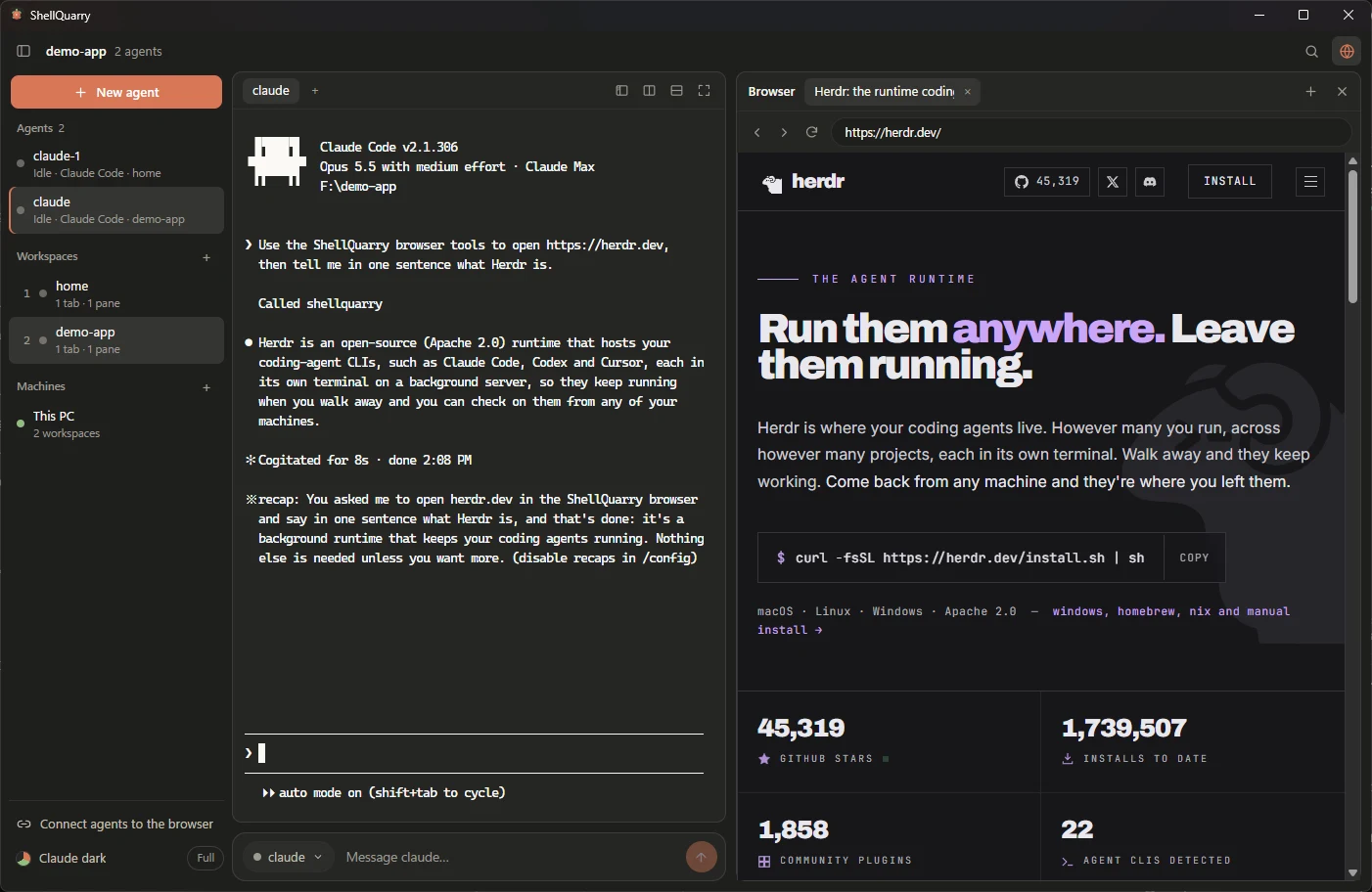
Herdr's workspaces and agents in the sidebar, the agent in the middle, and the page it read on the right.
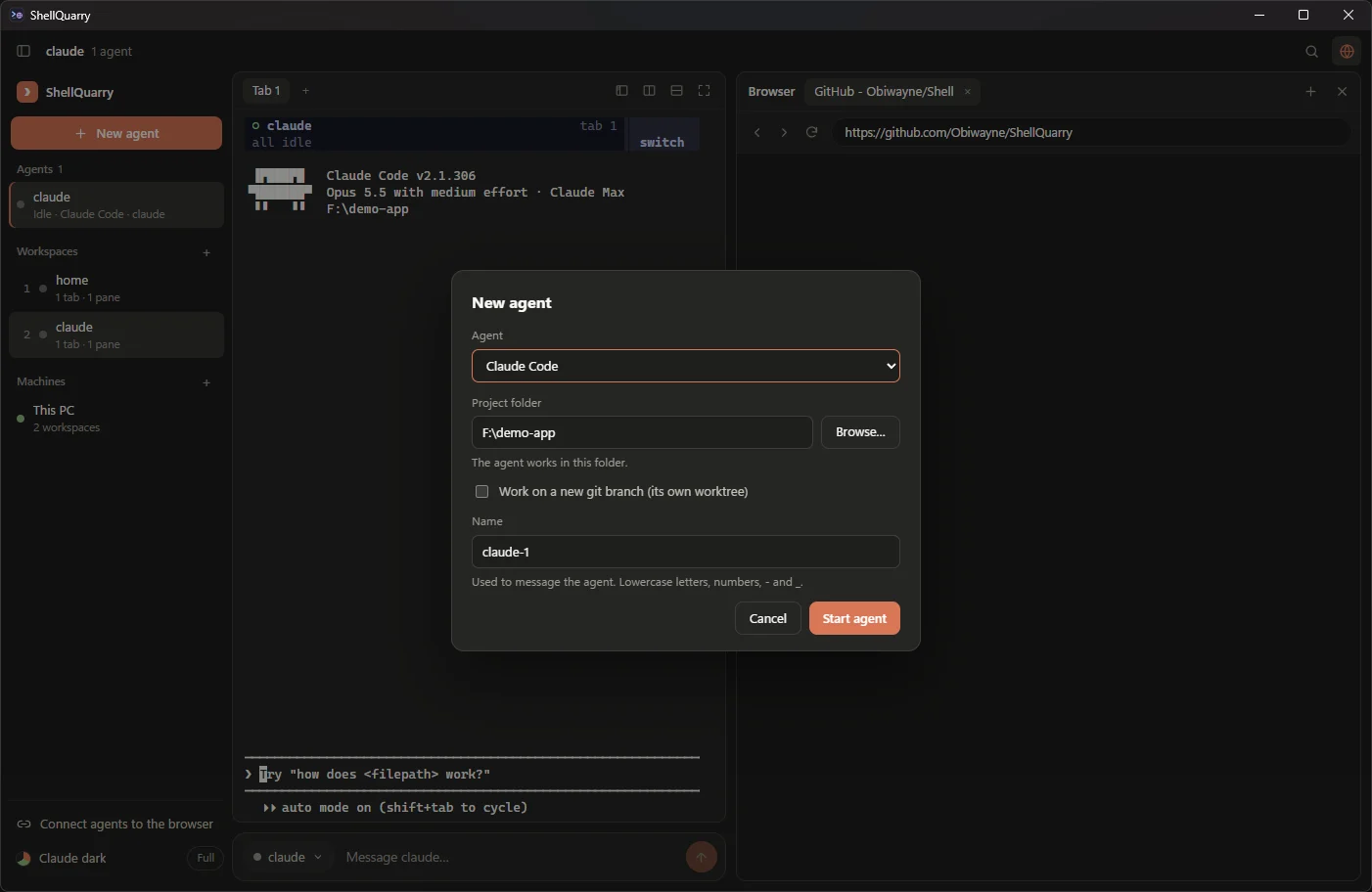
New agent lists the agents installed on your PC first, and refuses ones that aren't installed, or a folder that doesn't exist, instead of failing later.
Install it, step by step
About ten minutes on Windows 10 or 11. You need at least one coding agent you already use, such as Claude Code or Codex; they run on your own plan. 16 GB of memory is recommended; 8 GB works in lite mode.
Install Node.js. Download the LTS version from nodejs.org and run it with the default options.
Install Herdr. Open PowerShell (Start menu, type "PowerShell") and paste:
powershell -ExecutionPolicy Bypass -c "irm https://herdr.dev/install.ps1 | iex"When it says it installed successfully, close PowerShell and open a new one.
Install the browser plugin. In the new window, paste the line below, then type
yand press Enter when it asks:herdr plugin install Obiwayne/ShellQuarry/pluginInstall ShellQuarry. Download the setup file from the latest release and run it. No admin rights needed. If Windows says "Windows protected your PC", click More info, then Run anyway; the installer isn't code-signed yet.
Open ShellQuarry. It starts Herdr in the middle and shows a short tour.
Start an agent. Click New agent, choose your agent and a folder, and press Start agent. Answer any first-run question in the terminal, then type in the message box, for example "open the GitHub page for this project and tell me what the README says", and watch it work in the browser. Claude Code started this way already has the browser.
Other agents: click Connect agents to the browser at the bottom of the sidebar once. A popup asks, for each agent it finds, whether to add the browser.
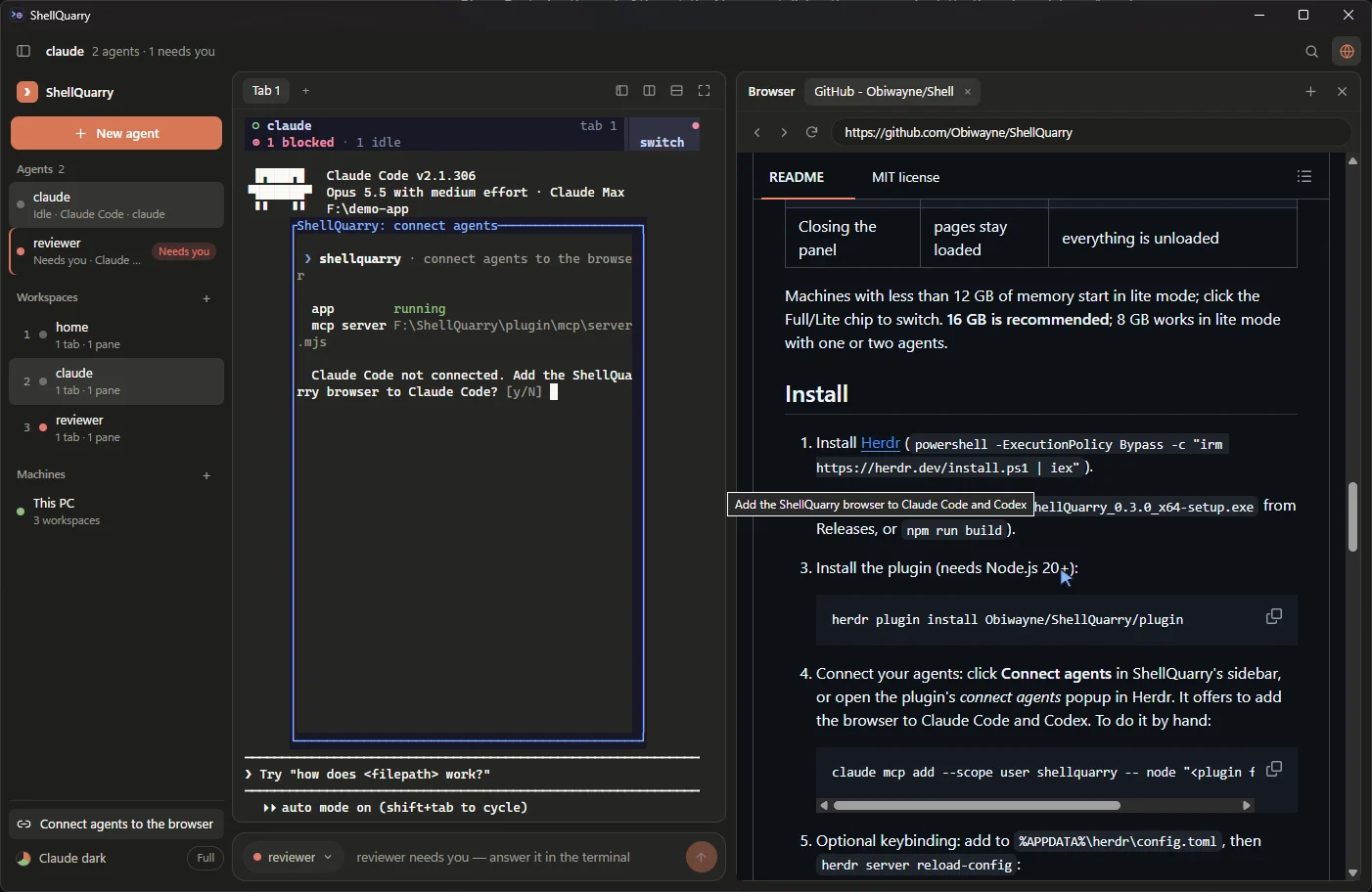
Step 7: the popup asks before it changes anything.
If something goes wrong, the README's troubleshooting list covers the usual causes: an old PowerShell window, Node.js missing, or an agent that needs restarting after it was connected.
How it was built
ShellQuarry is a small app built from well-known open-source parts. We picked them from RepoQuarry's Building blocks, where each one's licence, platforms and setup are recorded with sources:
| Job | Project | Licence |
|---|---|---|
| Running the agents | Herdr | Apache-2.0 |
| The window | Tauri | MIT or Apache-2.0 |
| Drawing the terminal | xterm.js | MIT |
| Running Herdr behind it | portable-pty | MIT |
| Driving the browser | Playwright, from the team behind Playwright MCP | Apache-2.0 |
The window is one Tauri app with several web views: one draws the sidebar, toolbar, message box and terminal; each browser tab is another, placed exactly over the panel on the right. Because Tauri uses the WebView2 engine already in Windows, the installer is under 2 MB.
The buttons talk to Herdr through its command-line interface. "New agent" creates a workspace and runs herdr agent start; the message box runs herdr agent prompt; the sidebar polls herdr agent list every couple of seconds. Herdr refuses to type into an agent that is waiting on a question, which turned out to be exactly the safety net a message box needs. ShellQuarry hands its Herdr a copy of your Herdr settings with Herdr's own sidebar and tab row hidden, so nothing shows twice, and never changes your file.
The browser is the interesting part. A small MCP server, started by your agent, connects to the browser tabs through WebView2's DevTools protocol with Playwright. It describes each page as a list of clickable elements and its text, so agents don't need a vision model, and before every click it draws a cursor that glides to the target. The app's control connection uses a random port and a secret token, and refuses requests from web pages.
Switching agents works like T3 Code's provider switch, which we read the source of: it keeps the first request, the latest request and reply, then as much recent history as fits, and hands that to the new agent as context. ShellQuarry reads it from Claude Code's and Codex's own saved conversations. Usage comes from the same places: Codex saves its limits with each session, and Claude Code reports them to its status line, which for agents started here is ShellQuarry.
We built it with Claude Code, in steps that each ended in something working: a prototype that proved an agent could drive the panel; a real Herdr plugin once we found Herdr runs natively on Windows; the Claude Code-style layout; Herdr's features as buttons; and then switching, usage and per-agent tabs. Testing caught real bugs along the way, such as two agents opening tabs at the same moment and creating the same page twice, and a terminal that sometimes started blank because Herdr's startup questions to the terminal went unanswered. The full write-up is in How ShellQuarry works.
Want to build something like it yourself? The Coding agents with a browser build lays out the same parts step by step.
What it doesn't do (yet)
- Windows only for now. Tauri and Herdr run on macOS and Linux too, so a port is possible.
- Agent screens are still drawn by each agent in the terminal. ShellQuarry puts controls around them; it doesn't redraw conversations as chat bubbles.
- Codex isn't connected to the browser automatically yet; one click on Connect agents to the browser does it.
- Claude Code's usage shows for agents started from ShellQuarry, and not if you've turned off hooks in your Claude settings.
- Other machines use Herdr's documented commands but haven't been tested against a real remote machine yet.
ShellQuarry is an independent project and isn't made by or affiliated with Herdr. If you try it, issues and ideas are welcome on GitHub.