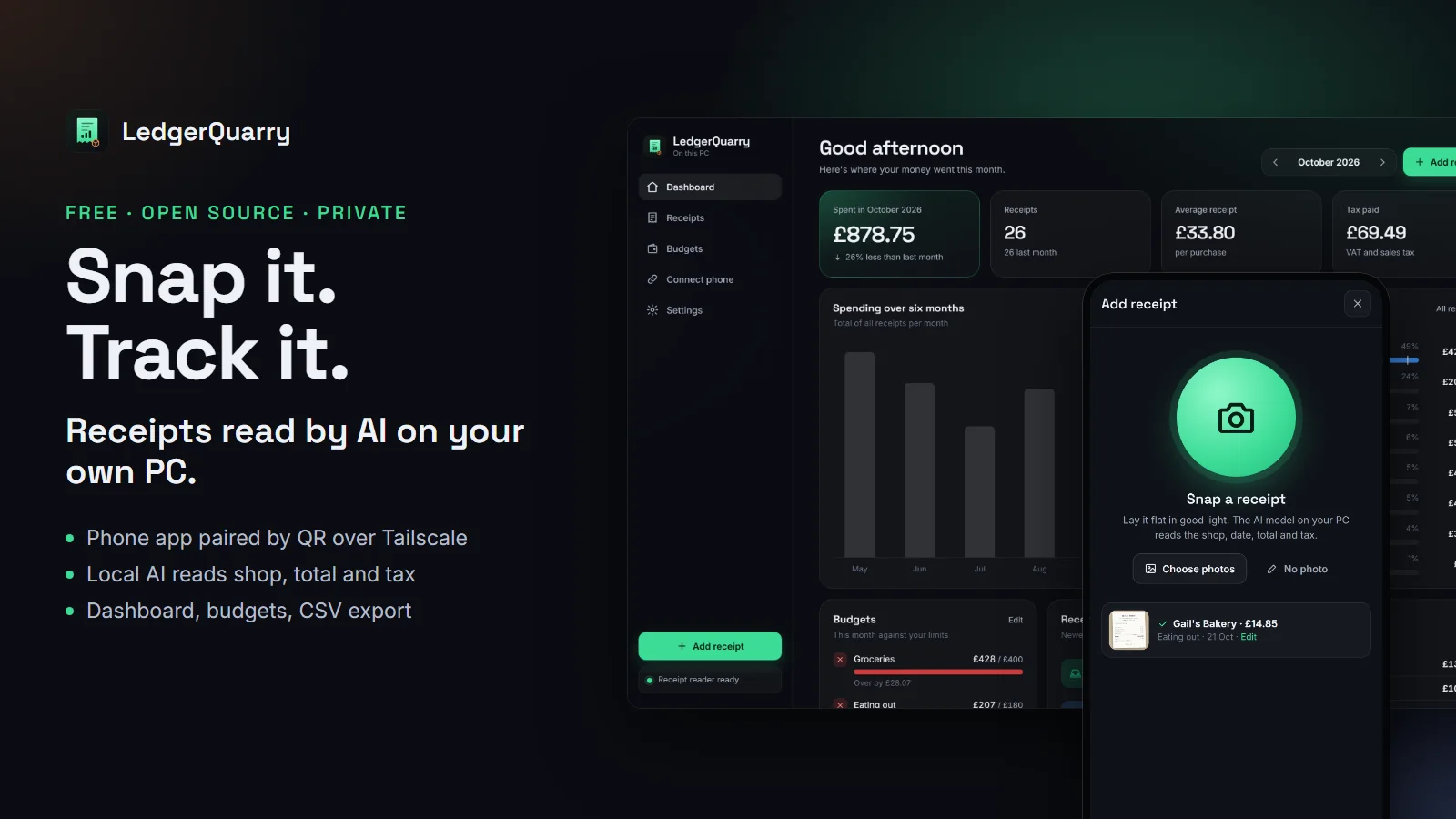
LedgerQuarry tracks your spending from receipt photos. You snap a receipt on your phone, an AI model on your own PC reads the shop, date, total and tax, and a dashboard shows where the month went. It is free, MIT-licensed and on GitHub, with a Windows installer on the releases page.
No receipt photo goes to a cloud service. The phone reaches your PC through Tailscale, a private network only your own devices can join. The reading happens in Ollama, on your graphics card or processor.
Why build it
Expense apps that read receipts charge a monthly fee and keep your photos on their servers. Each one is a record of where you shop, what you eat and when. RepoQuarry already had a Receipt scanner build that does the job with Nextcloud, Activepieces, Ollama and Bigcapital. That works well, but it means running four servers.
LedgerQuarry is the same idea as one Windows app you install in a minute.
What you get
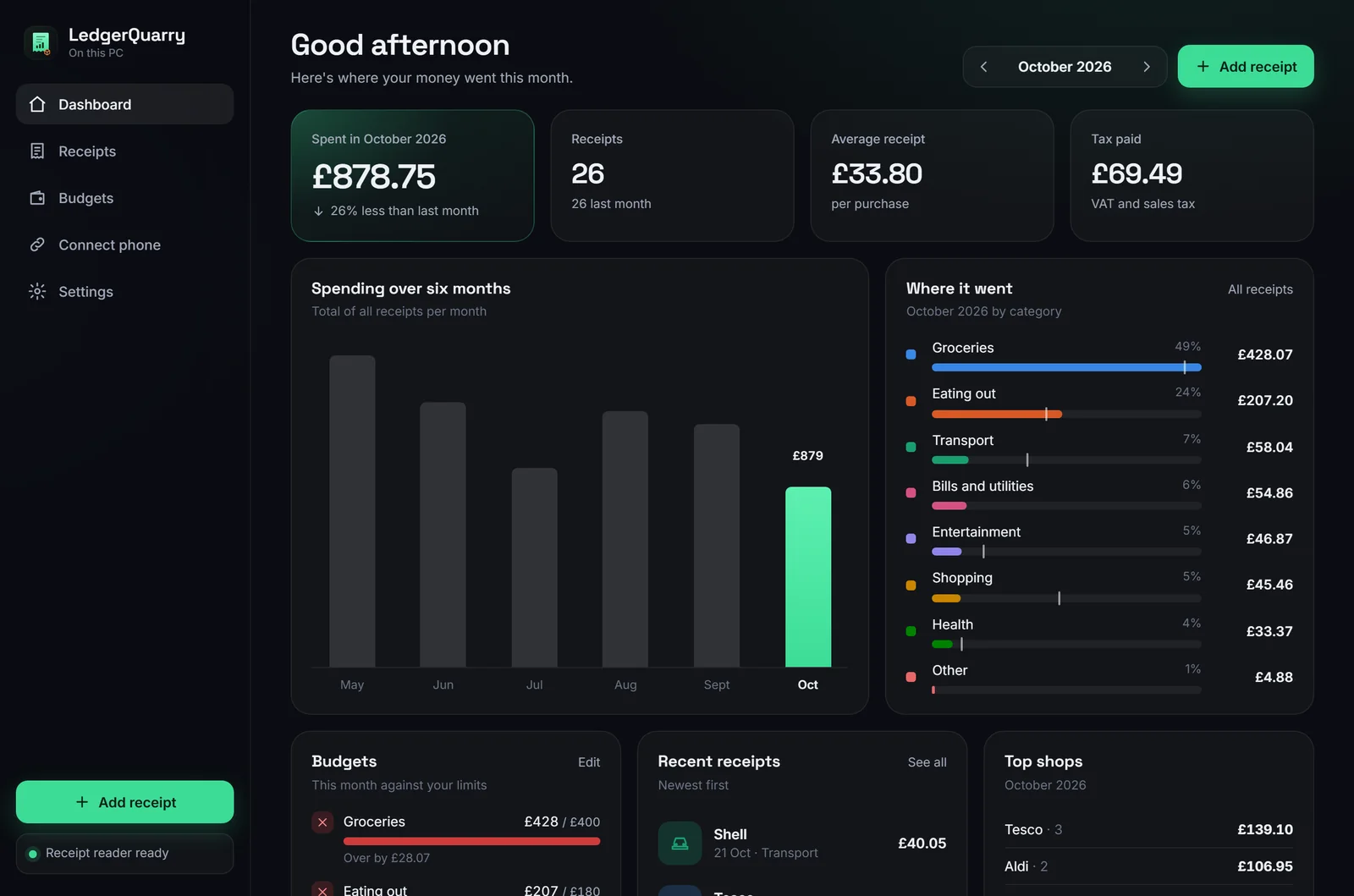
On the PC, a dashboard:
- this month's spending against last month
- a six-month trend
- spending by category, with your budget marked on each bar
- budgets with on track, close and over states, each with an icon and a word as well as a colour
- top shops, recent receipts and the tax you paid
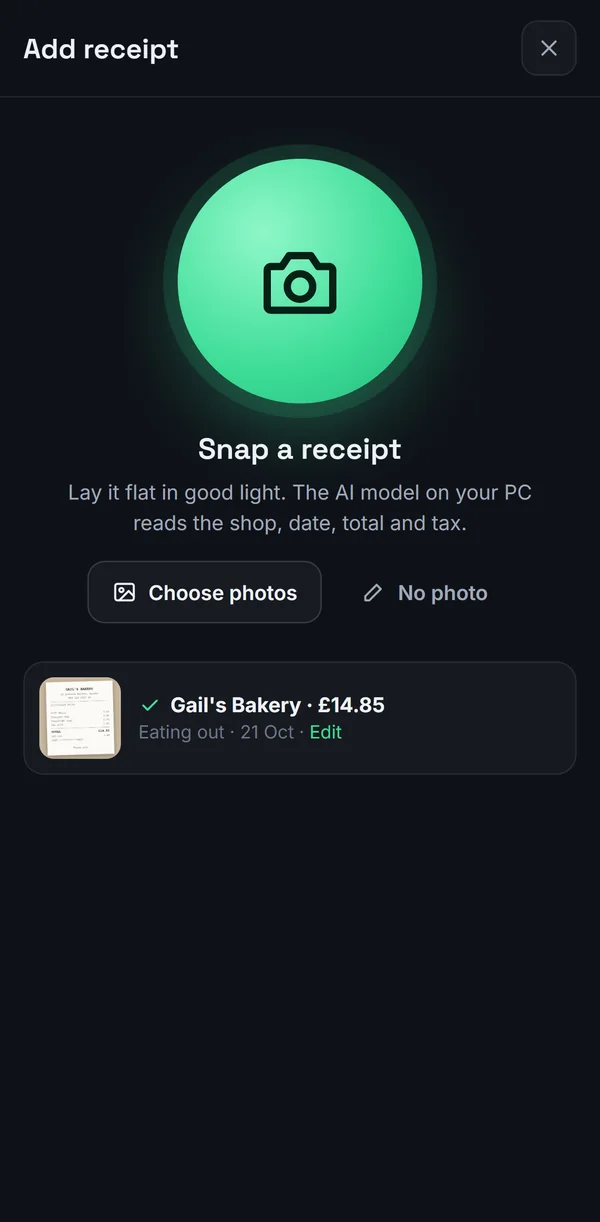
On the phone, an app with a big camera button. Snap a receipt and it uploads, shows "Reading…", then fills in about three seconds later with the shop, total and category. Anything the model could not read is marked "needs a check" with the reason, rather than guessed. With no signal, the photo waits on the phone and sends when it can reach your PC again.
How the phone connects
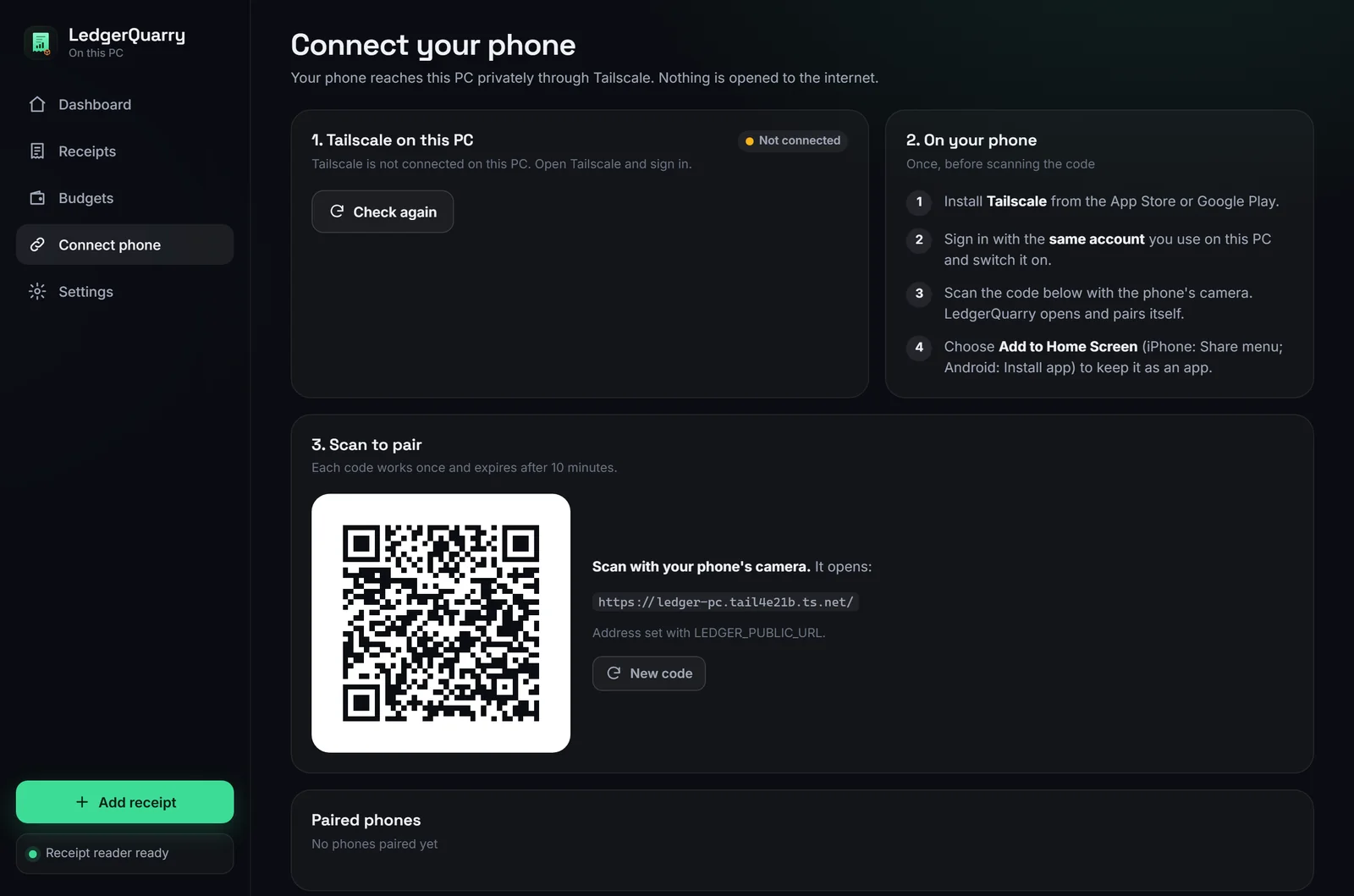
- Install Tailscale on the PC and the phone, signed in to the same account.
- In LedgerQuarry, press Turn on private HTTPS link. That runs
tailscale serve, which gives the app an address likehttps://your-pc.your-tailnet.ts.netthat only your devices can open. - Press Show pairing code and scan it with the phone's camera.
The code works once and expires after 10 minutes. The phone gets its own key, and the PC stores only a fingerprint of it. Remove the phone on the PC and it is locked out on its next request. The app never listens on your home network or the internet, only on the PC itself and its Tailscale address.
The phone side is a web app you add to the home screen, so one version covers Android and iPhone with no app store. A native Android app is possible later.
What we used from RepoQuarry
| From the catalogue | Job in LedgerQuarry |
|---|---|
| Ollama | Runs the vision model that reads receipts. The default. |
| Jan | Works instead of Ollama, through its OpenAI-style server. LM Studio does too. |
| Receipt scanner build | The blueprint we turned into one app. We have submitted LedgerQuarry as a shared build under it. |
| Bigcapital, GnuCash, Invoice Ninja | We looked at bundling one as the ledger and chose a CSV export instead, so your data goes into whichever you use. |
The default model is Qwen2.5-VL 7B. LedgerQuarry downloads it for you from Settings, about 6 GB once. It runs best with 8 GB or more of graphics memory and still works on a processor, more slowly.
How we built it
The desktop app is Rust and Tauri 2. Inside it runs a small web server built with axum. Both the desktop window and the phones load the same app from it, styled for a wide screen or a phone. Receipts, budgets and paired phones live in one SQLite file, with the photos beside it.
When a photo arrives, the server saves it and hands it to the model in the background, one at a time. Ollama gets a strict JSON schema, so the answer comes back as data rather than prose. The parser copes with 1,234.56 and 1.234,56, rejects dates that are not printed on the receipt, and stores money as whole pence or cents, so totals never drift.
We tested it three ways:
- 12 Rust unit tests covering totals, parsing, budgets, paired devices, sample data and CSV safety.
- An end-to-end API test. It starts a real server with a stand-in Ollama, pairs a phone and checks that a used code is refused and that a phone cannot change settings. It then uploads a photo, waits for the reading, checks the dashboard totals, edits the receipt, exports CSV, and confirms a removed phone is locked out.
- A Playwright browser test. It drives the desktop dashboard and a Pixel 7 phone through pairing, snapping a receipt photo and seeing it read, with zero page errors allowed.
The browser test and its screenshots found six layout bugs, all fixed before release. One was a tick icon that rendered at full card size.
The full build log, including what we chose not to do, is in BUILD_LOG.md.
What it does not do yet
- WhatsApp. Receiving receipts over WhatsApp needs either Meta's paid Business API with a public web address, which breaks the private design, or an unofficial WhatsApp Web bridge, which is against WhatsApp's terms and gets numbers banned. The phone app does the same job without either.
- Bank feeds or shared household budgets. One person, receipts only, for now.
- Code signing. Windows SmartScreen warns on first run. Choose "More info", then "Run anyway", or build it from source with the steps in the README.
Try it
- Download: github.com/Obiwayne/LedgerQuarry/releases
- Source, docs and build log: github.com/Obiwayne/LedgerQuarry
- The build it grew from: repoquarry.dev/builds/receipt-scanner
No receipts to hand? Press "Try sample data" on the dashboard and explore six months of made-up spending first.