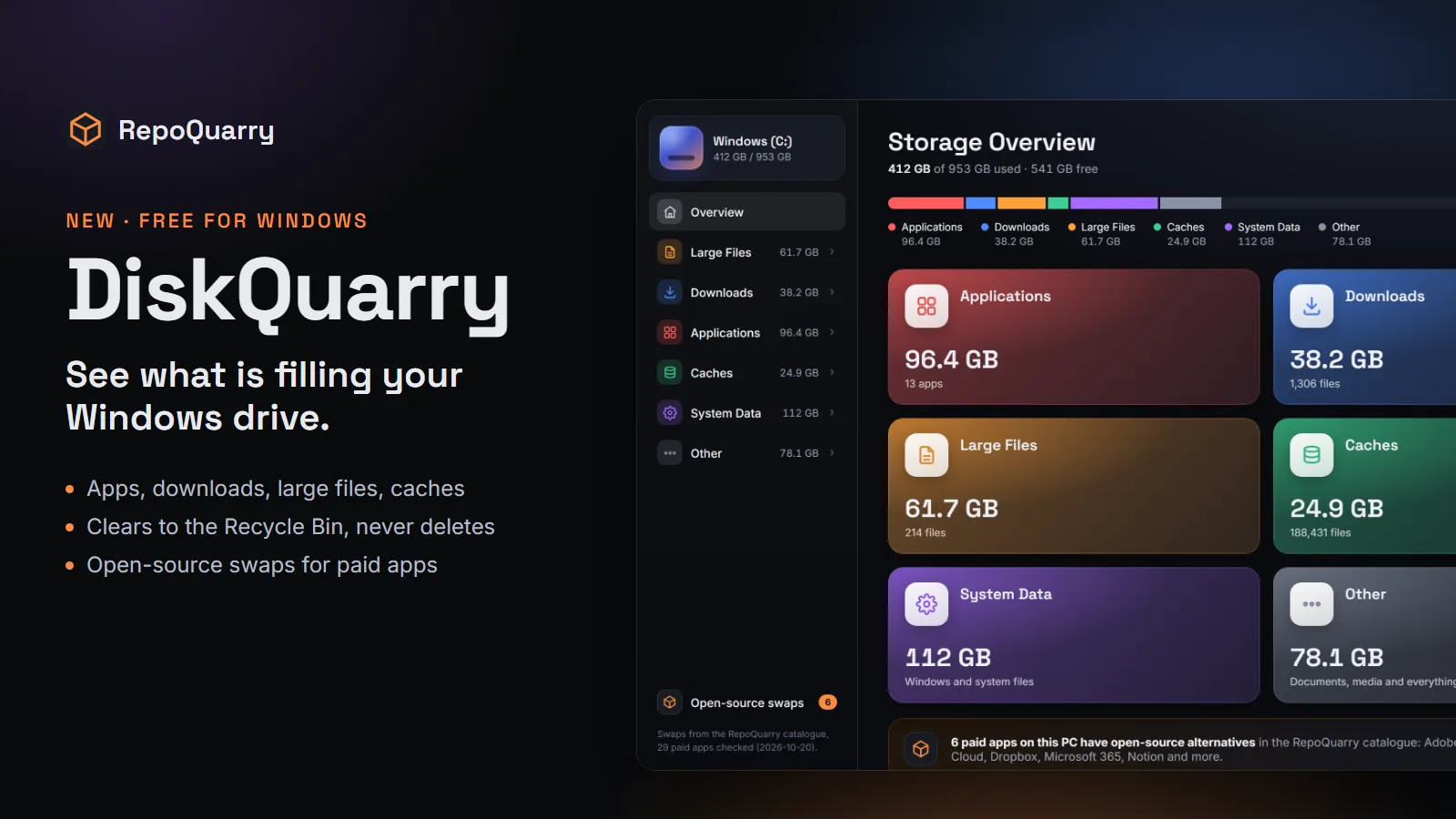
DiskQuarry shows what is filling your Windows drive in six categories, lets you clear downloads, large files and caches to the Recycle Bin, and lists open-source alternatives for the paid apps it finds installed. The app is free, MIT-licensed and on GitHub. Installers are on the releases page.
We built DiskQuarry on 20 and 21 October 2026. This post covers why, how the scanner works, the numbers from a real drive, and what the app will not do.
Where the idea came from
NivoMac gives Mac owners a clean storage overview: one bar, coloured cards for apps, downloads, large files, caches and system data. Windows has Settings > Storage and tools such as WinDirStat, but none of them put those categories on one screen with the same clarity.
So we copied the layout idea, not the code, and built a Windows version. Then we added the part only RepoQuarry has: a catalogue of open-source alternatives to paid software, with a source and a date for every fact.
What you see
The overview has a usage bar and six cards.
- Applications: Program Files, Steam, Epic and Xbox game libraries, plus every install folder Windows has registered. Slack, Discord and VS Code install under AppData, so a naive scanner files them under "other". DiskQuarry reads the registry first and counts them as apps.
- Downloads: your Downloads folder, largest first, with filters for videos, disk images, archives, installers and files older than 90 days.
- Large Files: single files of 100 MB or more outside every other category. Old VM disks and screen recordings tend to live here.
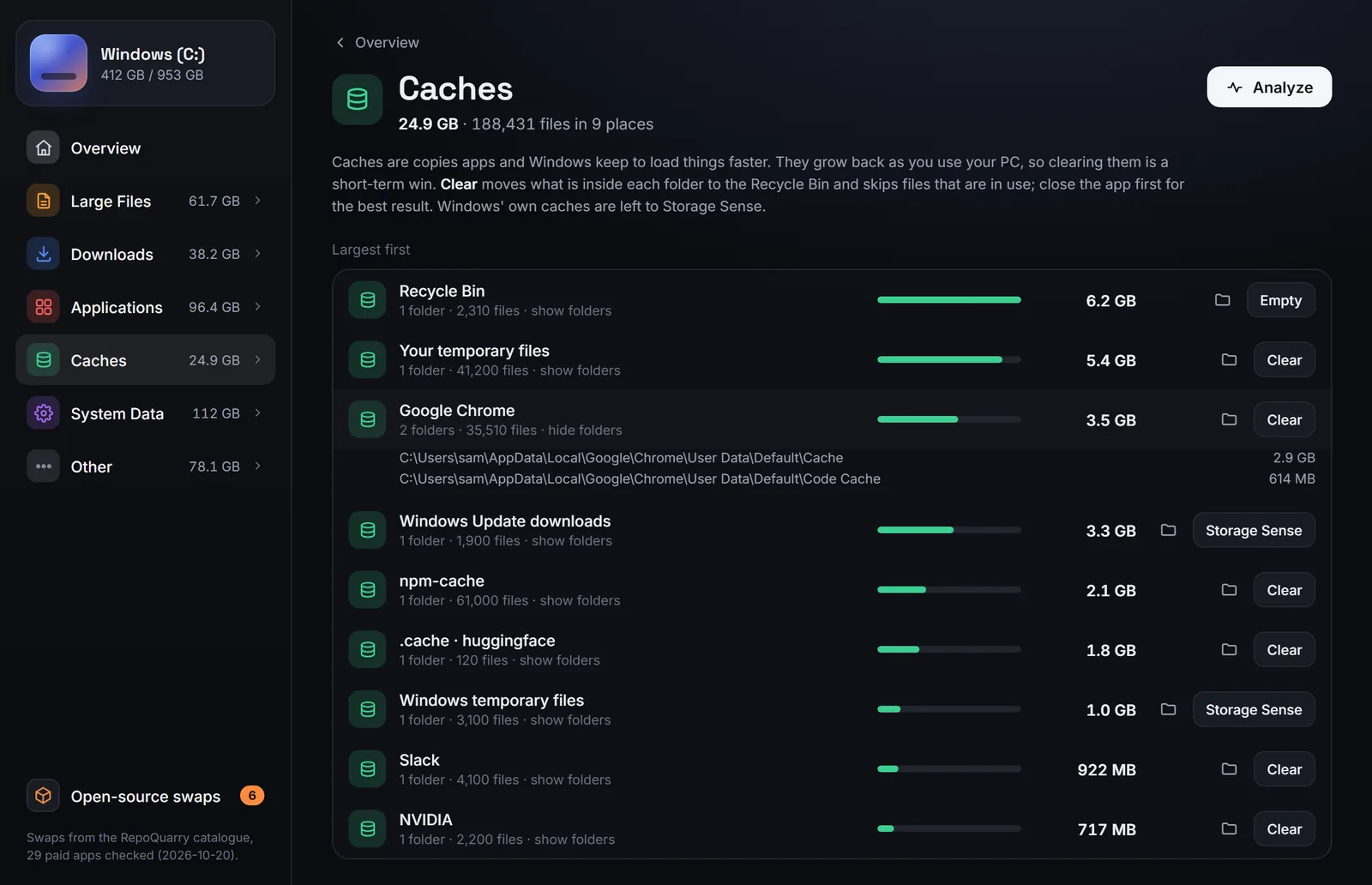
- Caches: browser caches, Temp, npm, pip, uv, Gradle, Hugging Face, NVIDIA shader caches and the Recycle Bin, grouped by the app that owns them.
- System Data: Windows, ProgramData, restore points, the page file and the hibernation file.
- Other: documents, photos, projects and the space Windows will not let a normal user read.
A seventh view, Open-source swaps, matches installed programs against 29 paid desktop apps in the RepoQuarry catalogue. Photoshop or Premiere Pro installed? You get the Adobe Creative Cloud alternatives RepoQuarry lists, each with licence, GitHub stars and a coverage label. "Covers part" means the project handles the main jobs, not every feature. Slack, Notion, Dropbox, Microsoft 365, Zoom, 1Password and Grammarly are in there too. In total the 29 products map to 187 alternatives.
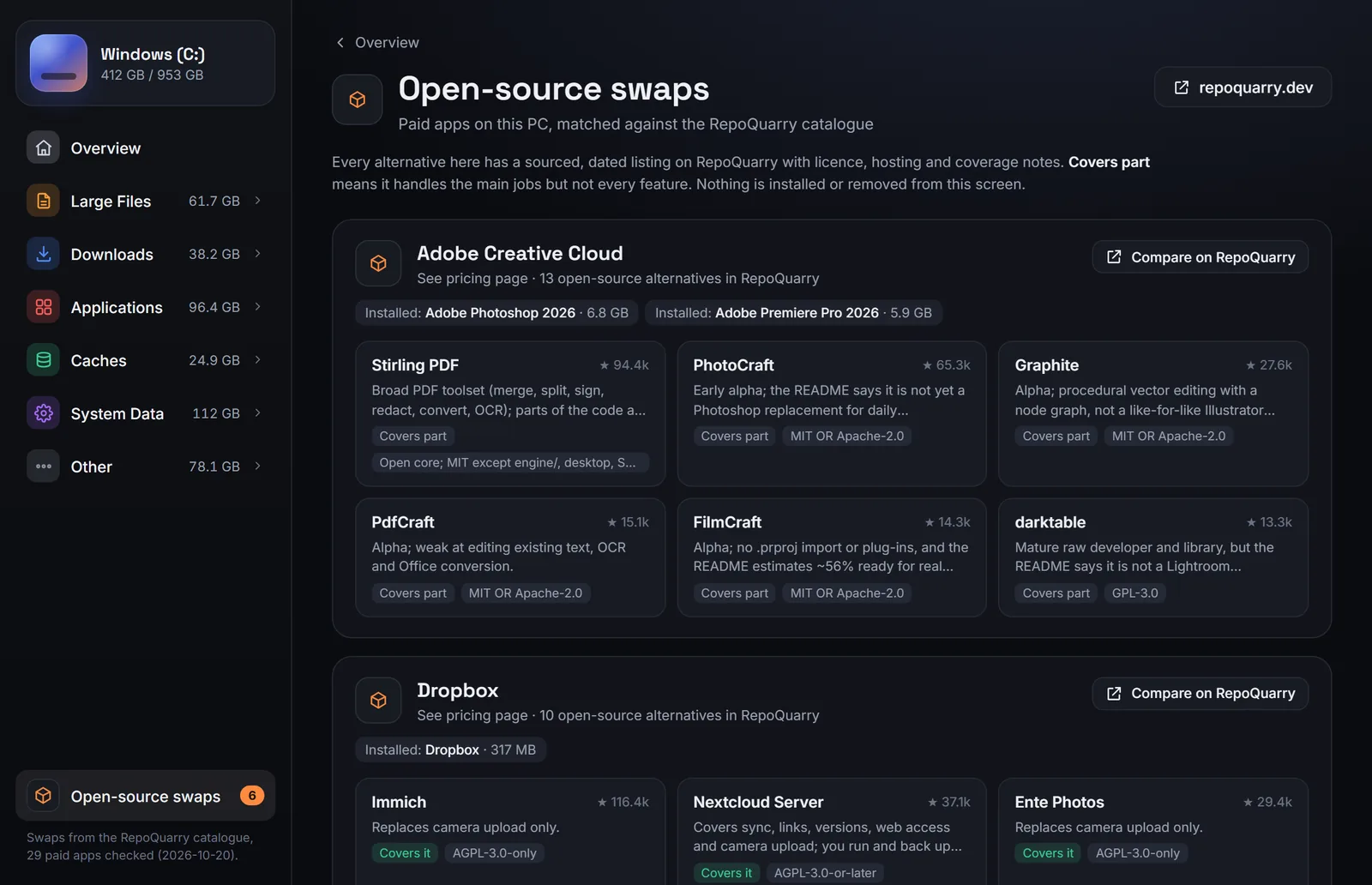
The matching runs on your PC. DiskQuarry makes no network calls, and a link only opens when you click one.
How we built it
DiskQuarry is a Tauri 2 app. The scanner and the Windows calls are Rust. The interface is plain HTML, CSS and JavaScript in WebView2, with no framework and no bundler. The fonts are Inter and Space Grotesk, the same files the RepoQuarry site ships.
The scanner walks the drive once. Rayon reads many folders in parallel, because the work is mostly waiting on the disk. Each folder takes a category from the first rule it matches and passes the category down to everything inside. One override list handles the awkward cases: C:\Windows is system data, but C:\Windows\Temp and the Windows Update download folder are caches.
Two Windows details took the most care.
- Hard links. Windows stores most system files once and links them from several folders. Add up folder sizes and you get more than the drive holds. DiskQuarry compares its total with the used space Windows reports and takes the excess off System Data, then tells you how much.
- OneDrive placeholders. "Online-only" files report their full size but use no local space. The scanner checks the file attributes and counts them as zero.
The RepoQuarry link is a build script. It reads the catalogue's YAML files for products and projects plus the nightly GitHub metrics, and writes one JSON file into the app. Refreshing the swaps means running npm run catalog against a newer RepoQuarry checkout.
Numbers from a real drive
We ran a full scan of a 1 TB system drive with 2.2 million files.
| Space Windows reports as used | 482.0 GB |
| Space DiskQuarry counted | 481.3 GB |
| Scan time, files already in the disk cache | 9.2 s |
| Scan time, first run after boot | 41 s |
| Biggest surprise | 64.7 GB of caches |
The 0.7 GB gap is NTFS metadata and folders a normal user account cannot open. The caches were the eye-opener: 14.1 GB of uv packages, 12.3 GB in Temp, 11.6 GB under .cache, plus pip, npm, Flutter, and Opera, Firefox and Chrome cache folders. None of that shows up as one number in Windows Settings.
What DiskQuarry will not do
- Delete anything permanently. Files and cache contents go to the Recycle Bin after a confirmation, and Windows asks again before the bin is emptied.
- Touch Windows, Program Files or ProgramData. The Rust backend refuses those paths whatever the interface sends. For Windows' own caches the app opens Storage Sense.
- Run uninstallers. The Applications view opens Settings > Apps so programs remove themselves properly.
- Delete cache folders. Clearing moves the contents and keeps the folder, because apps expect folders such as Temp to exist. Files in use are skipped.
The installer is not code-signed yet, so SmartScreen shows a warning on first run. Choose "More info", then "Run anyway", or build from source with the steps in the README.
Try it
- Download: github.com/Obiwayne/DiskQuarry/releases
- Source and docs: github.com/Obiwayne/DiskQuarry
- Browse the alternatives behind the swaps view: repoquarry.dev
Windows 10 and 11 only for now. If a cache folder lands in the wrong category on your PC, open an issue with the path and we will add a rule.