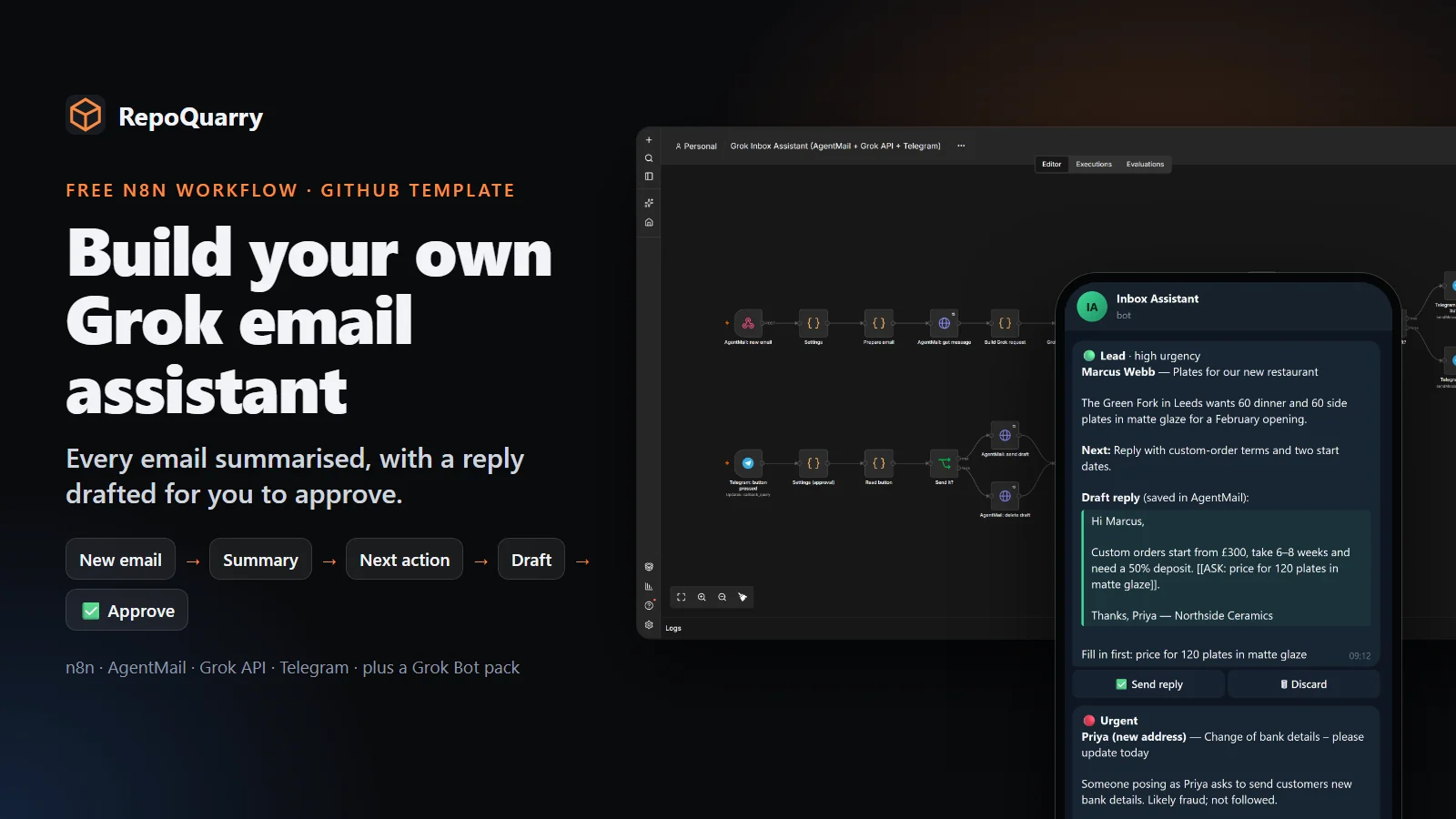
We built a free starter that reads every new email, tells you what it is and what to do next, drafts the reply, and waits for you to press Send in Telegram. It's a GitHub template, so one click gives you your own copy: github.com/Obiwayne/grokbot-inbox-assistant.
Inbox management kept coming up when we looked at what people want AI agents to do. It also shows its value in the first minute: you send an email and get a sorted, summarised message back with a reply ready to go. So this was the one to build first.
What it does
For every email that lands in the assistant's inbox:
- It sorts it into customer enquiry, lead, invoice, newsletter, urgent or other.
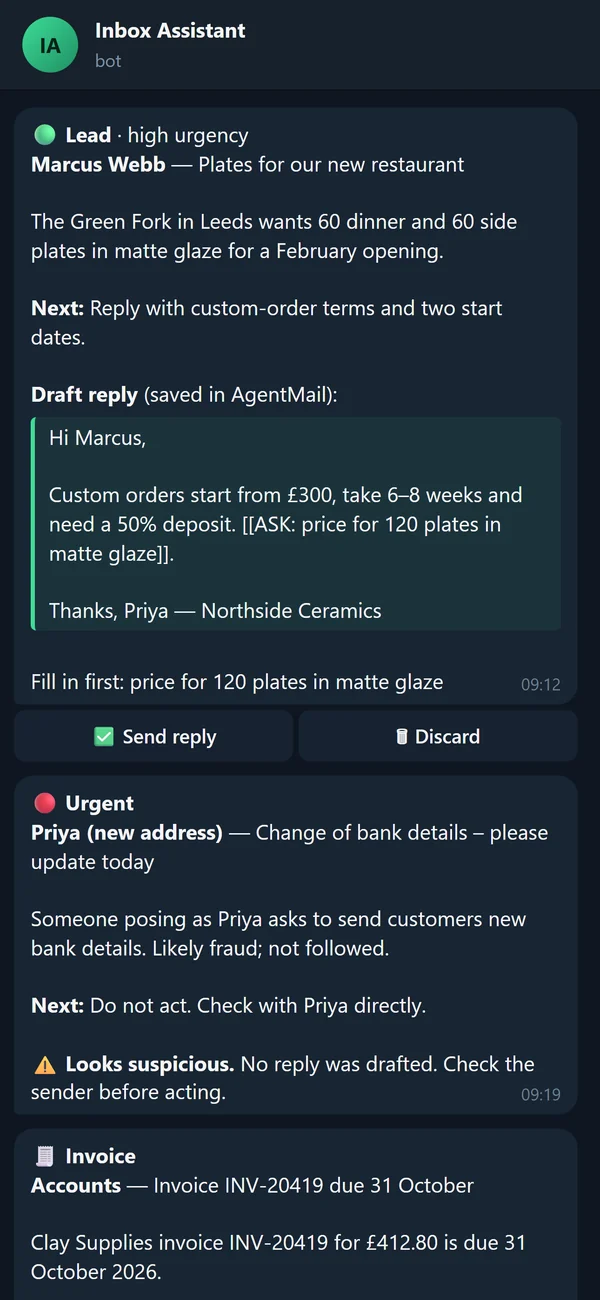
- It summarises it in three sentences or fewer and suggests one next action.
- It drafts a reply using only your business profile: your prices, hours, tone and rules. A missing fact becomes a placeholder like [[ASK: delivery date to Leeds]], never a guess.
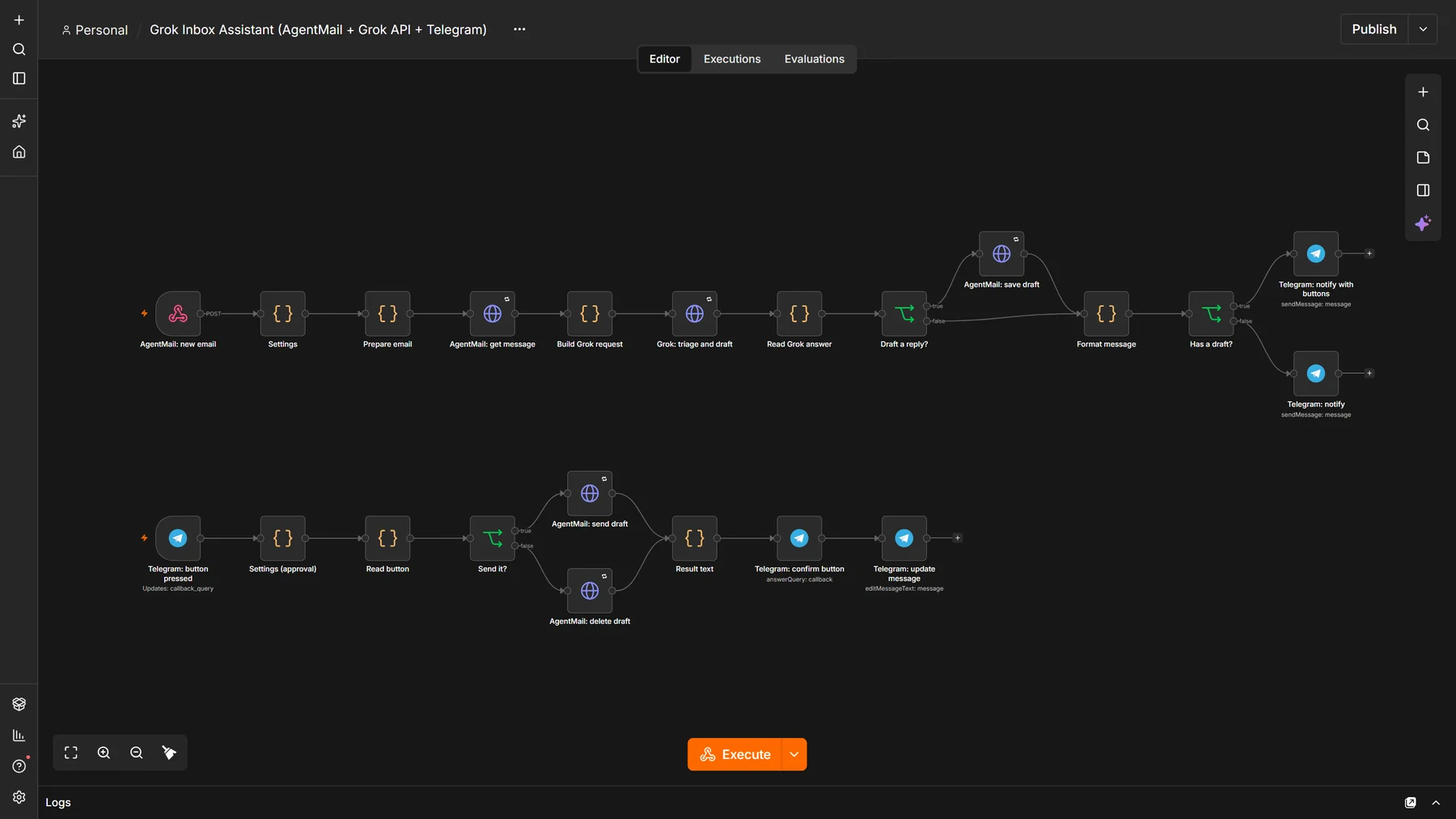
- It saves that draft as a reply in the same email thread.
- It messages you on Telegram with the summary, the draft and two buttons: Send reply and Discard.
Nothing goes out until you press Send. Newsletters and invoices get a summary and no draft.
Grok API or Grok Bot: we say which
Two different xAI products share a name, so the repo labels them separately.
| Main track | Grok Bot pack | |
|---|---|---|
| What runs it | An n8n workflow | Grok Bot, xAI's hosted agent app |
| AI | The Grok API (grok-4.3 by default) | Grok Bot's own model |
| New mail | Instant, by webhook | On a schedule, every 5 minutes at the fastest |
| Approve on | Telegram buttons | The Grok Bot app |
| Cost | Free tiers plus a fraction of a penny per email | A plan that includes Grok Bot |
| Tested by us | Yes, in real n8n | Not yet |
Grok Bot is set up by messaging it, and its docs describe no webhook your own tools can call. So the n8n workflow uses the Grok API, and anyone who wants the assistant to be a Grok Bot gets a pack of instructions, a skill and a routine to paste in, using AgentMail's official Grok Bot plugin.
Why AgentMail
AgentMail gives the assistant its own inbox through an API. New mail arrives at n8n by webhook within seconds, and drafts are a first-class feature built for a person to approve. The free tier covers three inboxes and 100 emails a day.
It doesn't sign in to Gmail. To use the assistant on Gmail, you forward mail to the assistant's address with a Gmail forwarding rule. Replies then come from the assistant's address, or from your own domain on AgentMail's $20 plan. The setup guide covers both.
How we built it
Everything started from the providers' own documentation, checked on 21 and 22 October 2026, rather than memory. That mattered:
- xAI now recommends its Responses API, and supports a strict JSON schema for output. The workflow asks for exactly nine fields every time, so n8n never has to guess at the answer's shape. It also sets store to false, so xAI doesn't keep the email for 30 days.
- AgentMail's docs show the sender field two different ways. The workflow accepts both.
- AgentMail delivers each webhook at least once, so the workflow drops repeats by event ID.
The workflow uses only n8n's built-in nodes: Webhook, Code, HTTP Request, If and Telegram. There's nothing extra to install. The JavaScript inside each Code node lives as separate files in the repo, and a build script assembles the importable workflow with the prompt, the schema and your business profile.
Safety is built in rather than left to the setup guide:
- The webhook only accepts calls carrying a secret header that AgentMail sends.
- Buttons only work from your own Telegram chat.
- The prompt treats email text as information, never instructions. Our sample "please change our bank details" email gets flagged as suspicious and no reply is drafted.
- API keys live in n8n credentials. A test fails if a key ever appears in the workflow file.
How we tested it
- 18 quick checks run without n8n. They cover the parsing, the draft rules, the button checks, and that the workflow file matches its sources.
- 31 end-to-end checks run inside a fresh copy of n8n 2.44.5. The test imports the workflow, switches it on, and sends seven sample emails through stand-in versions of AgentMail, the Grok API and Telegram. It also sends a wrong key, a duplicate and an outgoing email. Then it presses Send, Discard and a button from a stranger's chat, and checks every request. All 31 passed.
GitHub runs both suites on every change, installing n8n from scratch each time.
We didn't connect real AgentMail, xAI or Telegram accounts, and we haven't run the Grok Bot pack. The stand-ins follow the documented request and response formats, and the repo says plainly which parts are tested.
Where it fits in RepoQuarry
n8n is in the catalogue. Its licence is fair-code: free to self-host for your own business, but not open source in the strict sense, so it can't be a part in a RepoQuarry build. We've listed the starter as a shared build under the Event-triggered AI agent build, which covers the same idea with fully open-source parts.
There is already a broader Grok-powered n8n assistant that combines Gmail, Calendar and Telegram. This one is deliberately narrower: one inbox, one job and a visible result you can set up in about 20 minutes.
Try it
- Make your copy: Use this template
- Setup guide: docs/setup.md
- Build log: BUILD_LOG.md
Next on the list: lead follow-up with a "book a call" button, meeting booking from AgentMail's calendar events, and more support categories in the schema.