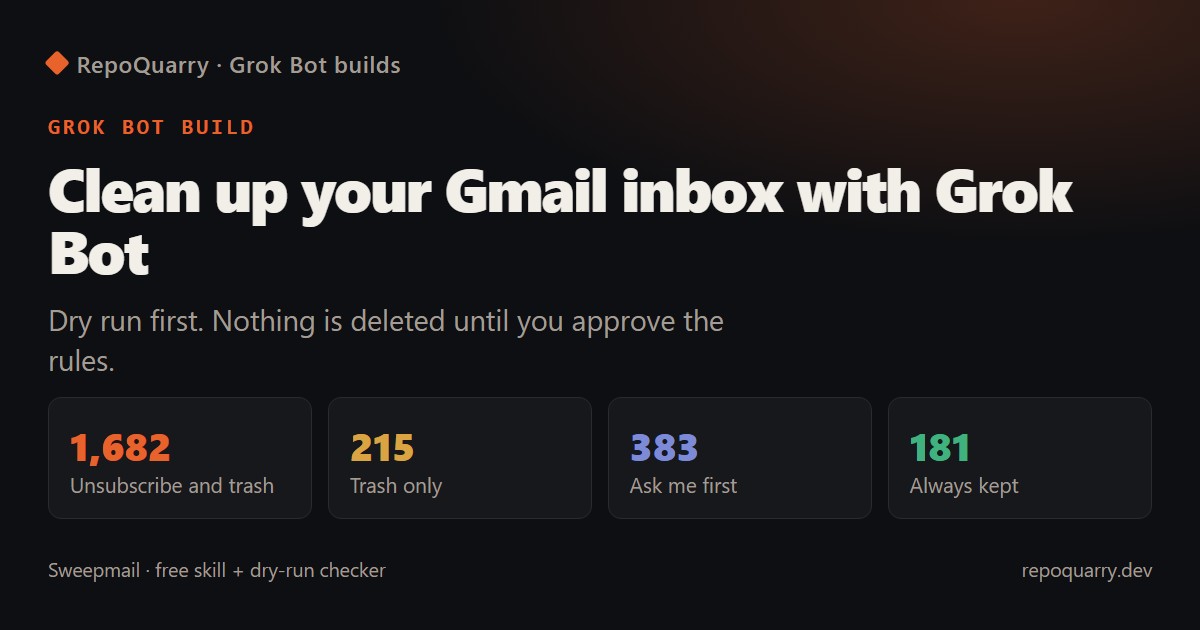
To clean up Gmail with Grok Bot, give it a skill that runs a dry run first, waits for you to approve the rules, then trashes junk and unsubscribes in batches. Grok Bot comes with X Premium at $30 a month. Setup is one pasted prompt, and our free checker shows what it would remove before the Bot touches anything.
Status, 23 October 2026: the checker is tested (12 automated tests, a made-up inbox of 2,463 messages). The Grok Bot skill is not yet tested on Grok Bot, because we don't have a plan to test on. We'll update this page with real numbers when we do.
Why inbox cleanup is the Grok Bot job people copy
It's the most repeated Grok Bot use case in this autumn's roundups, and the public write-ups are big:
- Yu-kai Chou cleared about 150,000 junk emails after one dry run (grokbot.dev).
- Mike P had about 90,000 emails across two Gmail accounts triaged and posted his steps after people asked how (as reported by grokbot.dev).
- Royce reported 6,000 deletions and 40+ unsubscribes in under 24 hours (grokbot.dev).
- Todd unsubscribed from 120 days of marketing mail and audited his paid subscriptions (grokbot.dev).
None of them are involved with Sweepmail. Our safety rules are adapted from the grokbot.dev inbox prompt, which that site reconstructed from Royce's setup.
What Sweepmail does
- Dry run. The Bot groups 12 months of mail by sender and counts messages, unread share, Gmail category and whether there's an unsubscribe header. It proposes one action per sender and stops.
- You approve. Change anything in the table, then reply "approved".
- Batches. It moves mail to trash 500 messages at a time and unsubscribes through the official header or page. After each batch it posts one line: trashed, unsubscribed, skipped, remaining.
- Report. Totals, anything it skipped and why, and five senders worth a look.
A weekly routine then runs on the last 7 days of mail every Sunday, asks you about new senders, and drafts replies to your three longest unread threads. It never sends.
The skill and routine are on GitHub: Obiwayne/sweepmail.
What it never touches
| Kept | Why |
|---|---|
| Anyone you've emailed | They're people, not lists |
| Banks, tax, government, health, insurance, schools | Missing one of these costs more than a cluttered inbox |
| Sign-in and security codes | You need them when something goes wrong |
| Receipts, orders, bookings | Asked about, never unsubscribed |
It never empties the trash (Gmail keeps trash for 30 days, so you can undo), and it stops to ask if a batch would trash more than 20% of mail from a sender you haven't reviewed.
Check the rules on your own computer first
You don't have to hand your inbox to an agent to see what it would do. The Sweepmail checker reads a Google Takeout export of your mail, opens it read-only, and applies the same rules:
- In Google Takeout, select only Mail and export. You get an
.mboxfile. - Run
python -m sweepmail check "All mail Including Spam and Trash.mbox" --html report.html --rules rules.json. It needs Python 3.10 or later and nothing else. - Open the report. Every sender has an action and a reason.
- Edit
rules.json, then paste it to your Bot as your approved rules.
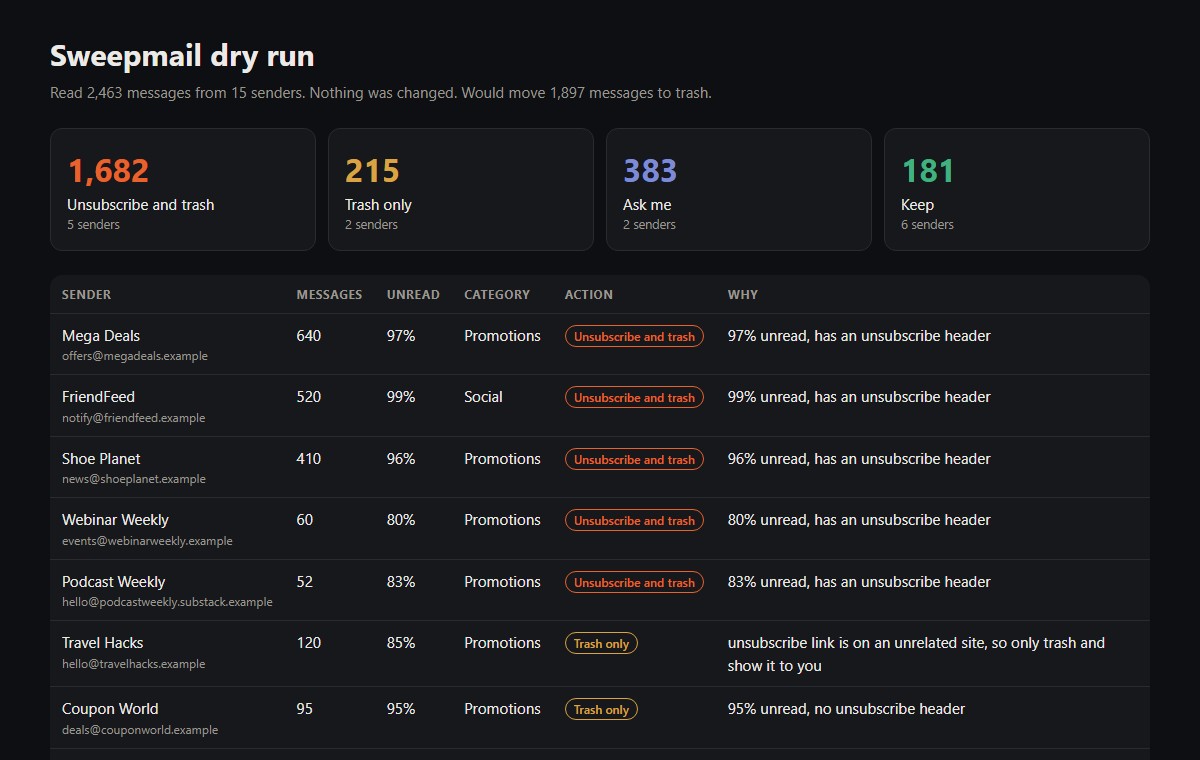
The checker's report on our made-up sample inbox. Every sender in it is fictional.
On the sample inbox of 2,463 messages it proposed trashing 1,897, unsubscribing from 5 senders, keeping 6 (a bank, the tax office, a security-code sender, an online shop's order emails and two people) and asking about 2. One newsletter's unsubscribe link pointed at an unrelated website, so the checker marked it trash-only and listed it instead of following the link.
What it costs
Grok Bot comes with X Premium ($30/month), Super and Ultra, not Plus or Free, and shares one weekly allowance with Cursor and the Grok apps (Cursor help). Users on Cursor's forum report running through that allowance in days. So Sweepmail:
- does the dry run once and edits the table instead of re-reading your inbox
- doesn't summarise emails during cleanup
- stops after the current batch if the allowance passes 70%
- runs weekly afterwards, on 7 days of mail, instead of hourly
The checker is free.
What can go wrong
- A sender you want lands in "trash". That's why the dry run exists. Move it to Keep before approving.
- Captchas. Some unsubscribe pages block bots. The Bot lists those for you to do by hand.
- Big inboxes are long jobs. A six-figure inbox takes many batches. Spread it across days if your allowance is tight.
- Untested on Grok Bot. We've written the skill against xAI's documentation, but haven't run it on a live plan yet.
FAQ
Can I clean up Gmail with AI without giving it my password?
Grok Bot reaches Gmail through a connector you add from its "Connect apps" screen. Read what access it asks for when you add it. The Sweepmail checker doesn't connect to Gmail at all. It reads an export file on your computer.
Will an AI unsubscribe me from newsletters I want?
Only senders you approve. Anything with fewer than 5 messages, under 80% unread, or outside Promotions and Social goes to "Ask me", not trash.
Is this inbox zero with an AI agent?
It gets you most of the way. Sweepmail clears junk and lists. Real mail from people stays for you to read, with drafted replies for the longest threads.
Does it delete junk email automatically?
After the first approval, the weekly routine applies the same rules to new mail without asking, except for new senders, which it always asks about.
Do I need Grok Bot to use Sweepmail?
For the cleanup itself, yes. The checker works on its own, and the rules file it writes works as instructions for any agent with Gmail access, though we've only written it for Grok Bot.