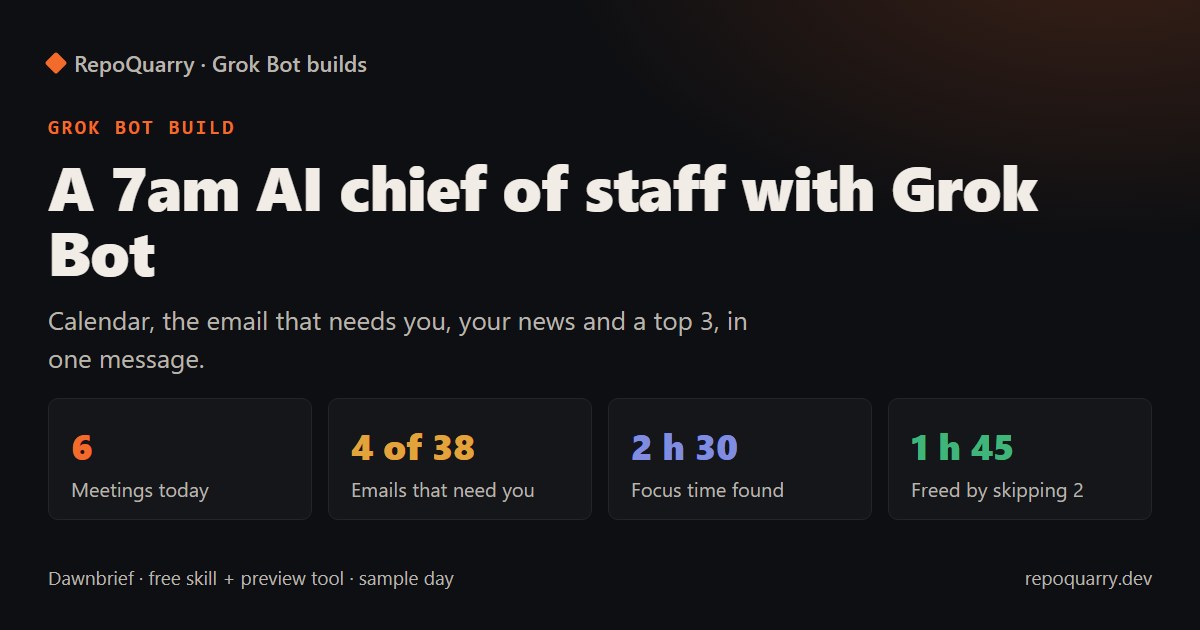
To get a daily AI briefing of your email and calendar, give Grok Bot a skill that reads them once a morning, plus a 7am routine that sends one short message. Grok Bot comes with X Premium at $30 a month, and the two news tools are free. Setup is two pasted prompts. Our free preview tool shows the brief before the Bot sees anything.
Status, 23 October 2026: the preview tool is tested (13 automated tests and a real run against five live news feeds). The Grok Bot skill and routine are not yet tested on Grok Bot, because we don't have a plan to test on. We'll update this page with real numbers when we do.
Why the morning brief
"Chief of staff" is the most common Grok Bot role in xAI's own use-case gallery, and "Custom Morning Brief" is one of the community favourites in awesome-openclaw-usecases. The appeal is simple. You stop opening five apps before breakfast.
What arrives at 7:00
One message, under 1,500 characters:
- Calendar: today's meetings, and gaps of an hour or more you can use as focus time.
- Needs you: the three overnight emails most likely to need a reply, plus a count of the newsletters and notifications you can ignore.
- News: two items from your own feeds, picked for your topics.
- Top 3: the most urgent replies first, then prep for the first meeting that needs it.
- Could skip: big meetings where you're optional, or recurring ones with no agenda, with how much time you'd get back. The Bot writes a decline but only sends it if you reply "OK skip".
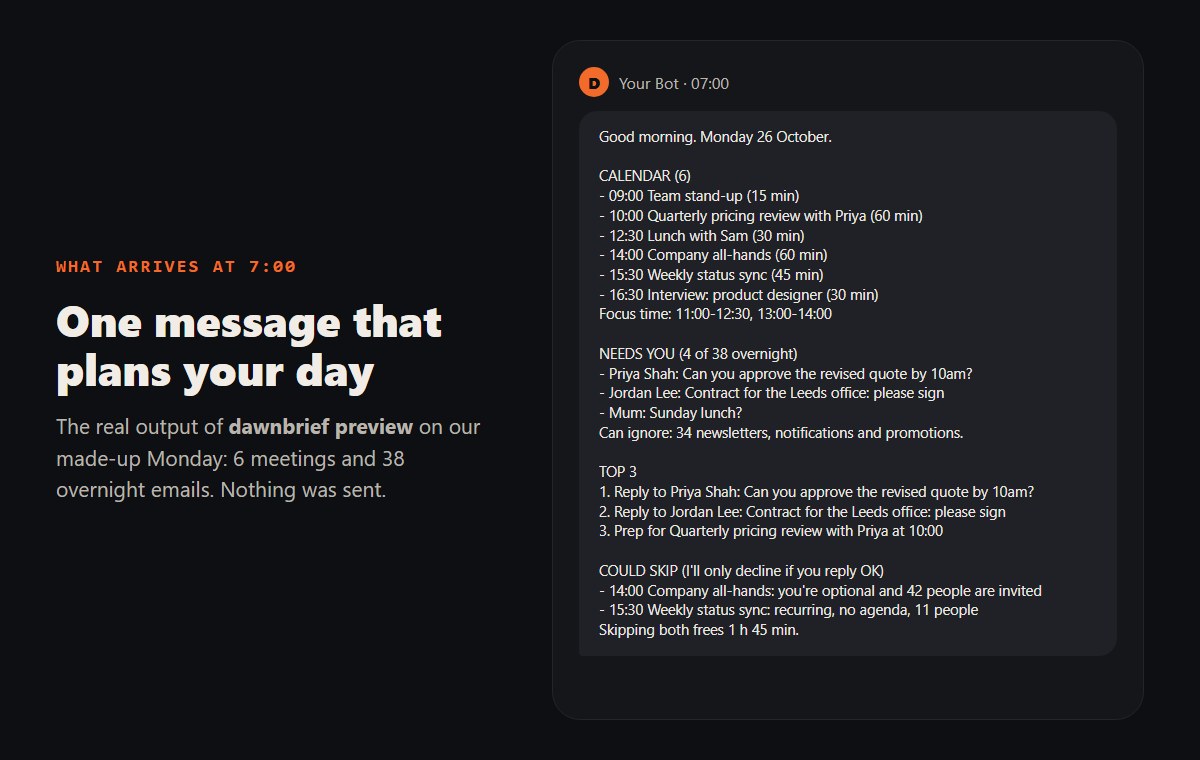
The real output of the preview tool on our made-up Monday. Every person in it is fictional.
On that sample day, 38 emails came in overnight. Dawnbrief put 34 aside as newsletters, notifications and promotions, and ranked a client's "can you approve the revised quote by 10am?" above a contract due Friday. It suggested skipping a 42-person all-hands where you're an optional guest and an 11-person status sync with no agenda, which frees 1 h 45 min.
The parts
The Bot reads your calendar, Gmail and Slack through Grok Bot's connectors. For news it uses two open-source tools:
- Miniflux, a feed reader with an API. The Bot asks it for unread items since 6pm yesterday.
- RSSHub, which makes feeds for sites that don't publish one, such as a GitHub user's repos or Hacker News.
Grok Bot runs on its own cloud computer, so it can't reach a Miniflux on your laptop. Either run Miniflux on a small server with an HTTPS address, or give the Bot plain feed URLs instead. The daily news brief blueprint covers setting up both tools.
The skill, the routine, a Docker Compose file for Miniflux and RSSHub, and the preview tool are on GitHub: Obiwayne/dawnbrief.
Preview the brief on your own computer
You don't need to connect anything to see what Dawnbrief would tell you:
- Export your calendar (Google Calendar: Settings, Import & export, Export) and your mail (Google Takeout, Mail only).
- List a few news feed URLs in a text file.
- Run
python -m dawnbrief preview --ics calendar.ics --mbox mail.mbox --feeds feeds.txt --topics "ai,pricing" --html brief.html. It needs Python 3.10 or later and nothing else, and it sends nothing.
Our test run read five live feeds, three of them through RSSHub running on a Windows PC, and built the brief in 8.1 seconds. One snag: RSSHub's npm package failed every route on Windows with "No headers based on this input can be generated" until we gave it a fixed user agent. The repo's server/rsshub-npm script does that for you.
What it costs
Grok Bot comes with X Premium ($30/month), Super and Ultra, and shares one weekly allowance with Cursor and the Grok apps (Cursor help). People on Cursor's forum report running through that allowance in days, so Dawnbrief:
- runs once a day, at 7:00 on weekdays
- reads each source once and opens only the shortlisted emails
- sends a calendar-and-top-3 brief instead if the allowance is past 70%
- never hands work to a second Bot, and won't reply if another Bot messages it
Miniflux and RSSHub are free. If you host them for the Bot, you pay for the server.
What can go wrong
- The ranking is a guess. It scores questions, deadlines and Gmail's Important label. Run the preview on a week of your own mail and see if the top 3 matches what you'd have picked.
- Some RSSHub routes need your own keys or cookies. Social networks especially. Read each route's notes first.
- Slack connections drop, according to Grok Bot users. The brief still goes out without the chat section.
- Untested on Grok Bot. We wrote the skill from xAI's documentation and haven't run it on a live plan yet.
FAQ
What is an AI chief of staff?
An assistant that reads across your email, calendar and messages and tells you what needs you. Dawnbrief does the reading once a day and acts only when you reply.
Can Grok Bot find focus time in my calendar?
Yes. Dawnbrief lists every gap of 60 minutes or more between 9:00 and 17:30. It doesn't book anything into those gaps.
Will it decline meetings without asking?
No. It writes a decline for meetings you could skip and sends one only when you reply "OK skip" and the meeting name.
Does it work as an AI scheduling assistant?
Partly. It finds free time and drafts declines. For booking meetings with other people, Grok's own automations already handle basic scheduling.
Do I need Grok Bot to use Dawnbrief?
For the 7am message, yes. The preview tool works on its own, and the skill reads as plain instructions for any agent with calendar and Gmail access, though we've written it for Grok Bot.